v0.26.0 - Quick Capture, Improved Slack Integration and so much more! 🎁
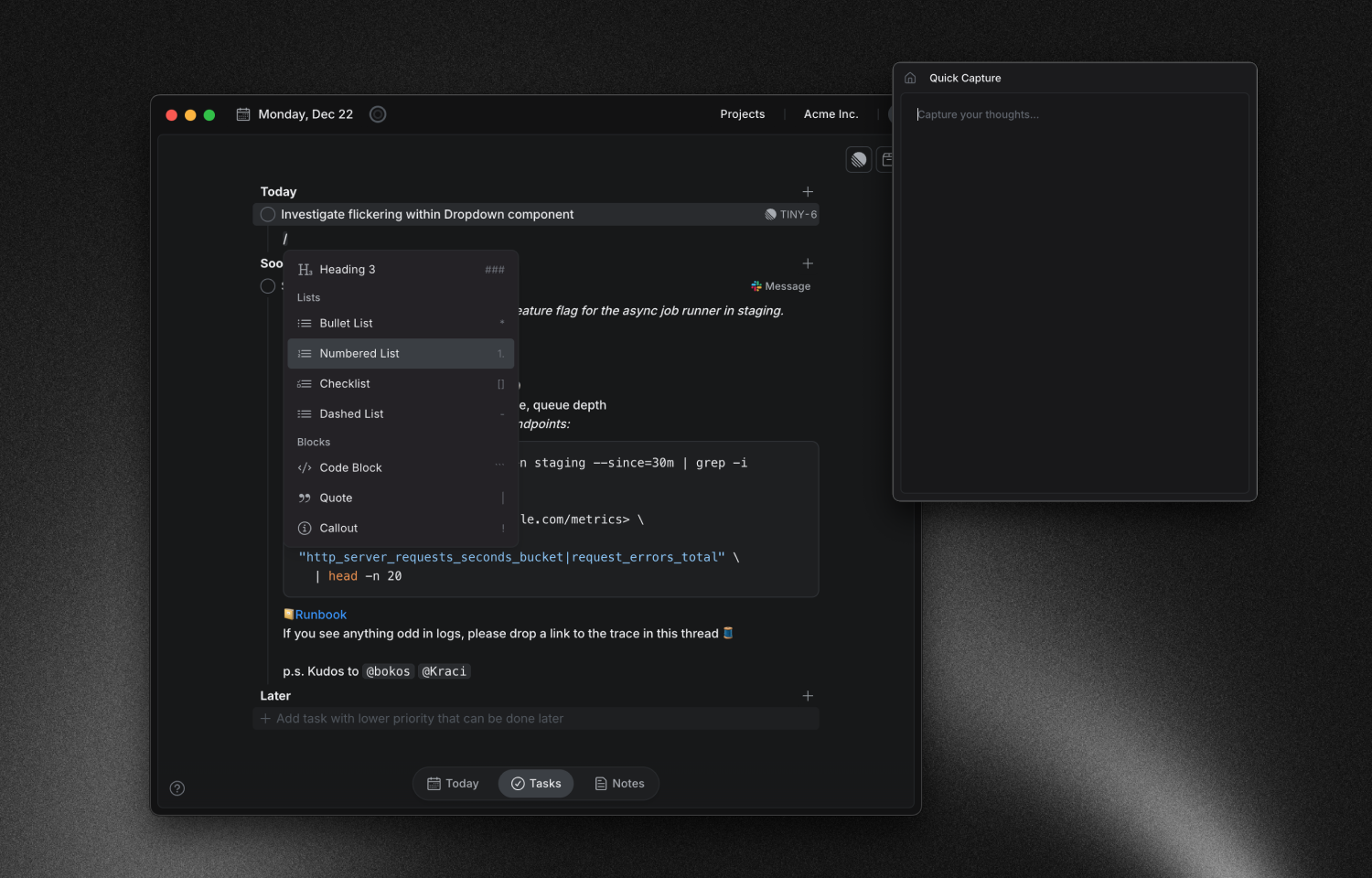
Introducing Quick Capture Note
A fast way to jot thoughts and ideas without breaking flow.
Open, type, close - organize later in your workspace.

Slash Command in Editor
Type
/to explore formatting and insert headings, lists, checklists, quotes, code blocks, and more.

New Update Notification
Clear in‑app alerts for available updates, so you don’t miss new features.
Safe to install anytime - your progress remains intact; the app briefly relaunches and you’re right back where you left off.

Improved Slack Integration
Now preserves all Slack formatting — code blocks, lists, links, quotes, and more.
Tasks created from Slack include a clean “Message” link on task back to the original Slack message.

Archive option for workspaces
Archive workspaces to keep navigation tidy.
Manage active and archived workspaces in Preferences.

And much more:
Improvements
Unified UI for autocomplete in tag and mention menus
Clearer external link display on integration tasks
Better handling of failing network requests
Smoother focus behavior for the link bubble menu
Smaller notes storage footprint
Improved mouse navigation in editor command menus
Better focus and keyboard navigation in the Notes tree
Updated Jira icon for quick import
Bug fixes
Correct tooltip position for “Select Task to Focus On”
Added tooltip for “Switch Task”
Fixed crash on the Brain Dump page