v0.34.0 - Collapse tasks and sections
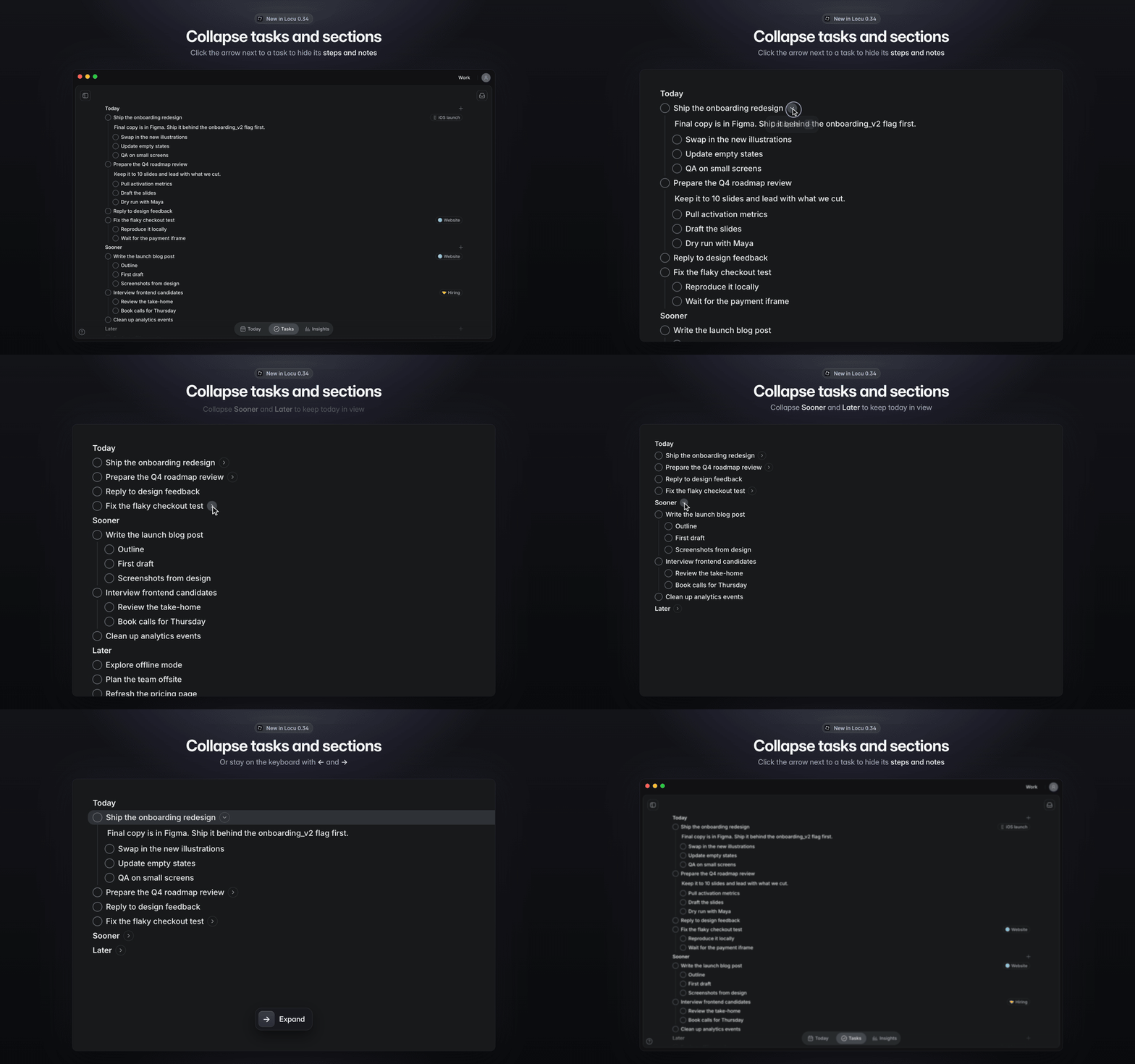
Collapse tasks and sections. This was the most-voted request on our feedback board. Thanks to everyone who voted for it. When every task has steps and notes, a list gets long fast. Now you can tuck them away.
Hover a task with steps or notes and click the arrow next to its name to hide them. Click it again to bring them back.
Collapse Today, Sooner or Later when you don't need a whole section on screen.
On the keyboard, ← collapses the selected task or section and → expands it. Collapse and Expand are in the right-click menu too.
Collapsing is shared across the Tasks page, Today's Priority, Planning and project views, and it syncs to your other devices.
Adding a step or notes to a collapsed task expands it, so you can see what you added. The + button on a collapsed section expands it too.
Bug fixes:
Fixed a blank main window after signing in with a second account on the same computer (v0.33.0)
Fixed a blank window when Locu started minimized or in the background
If the window fails to load, Locu now reloads it instead of leaving it empty
Batch of smaller bug fixes and stability improvements